Welcome to Octopus Explorer
Octopus Explorer is a native client for Jellyseerr, Overseerr, and Seerr — the media request management platforms built for self-hosted home servers.
Instead of opening a browser tab to manage your media requests, Octopus Explorer gives you a fast, native app experience that feels at home on your phone, tablet, or TV.
Why we built it
Section titled “Why we built it”Octopus Explorer started as a personal hobby project. We run our own home media servers and wanted a proper native experience for managing requests — the kind that feels at home on a phone or tablet rather than a browser wrapper. We figured plenty of people in the home server community felt the same way, so we open-sourced it under Apache 2.0 and built it out properly.
If you love self-hosted media, this was made for you.
What Octopus Explorer does
Section titled “What Octopus Explorer does”- Browse and discover — explore the content sliders configured on your server, just like the Seerr web UI
- Search — find movies, TV shows, and people instantly with type-ahead search and filter chips
- Request media — request movies and TV shows with full season selection, quality profile picker, and collection support
- Manage requests — approve, decline, and delete requests directly from the app (admins and owners)
- Watchlist — view and manage your Jellyfin watchlist, then request anything on it in one tap
- Multiple servers — add and switch between multiple Seerr instances
- Persistent login — stay signed in with Remember Me; credentials stored securely in the device Keychain
Supported backends
Section titled “Supported backends”Octopus Explorer connects to all three backends:
| Backend | Status | Notes |
|---|---|---|
| Jellyseerr | Fully supported | Jellyfin users, watchlist sync included |
| Overseerr | Fully supported | Plex users |
| Seerr | Fully supported | Active fork, superset of both |
Octopus Explorer auto-detects which backend you are running and adjusts the UI accordingly — for example, the Watchlist tab only appears when your server supports it.
Supported platforms
Section titled “Supported platforms”| Platform | Status |
|---|---|
| iOS (iPhone) | In App Store review — free when released |
| iPad | In App Store review — same universal binary as iPhone |
| macOS | In development — not submitted |
| Apple TV (tvOS) | In development — not submitted |
| Android | In development |
| Android TV / Google TV | Planned |
| Amazon Fire TV | Planned |
| Samsung Tizen | Planned (conditional on demand) |
| LG webOS | Planned (conditional on demand) |
Screenshots
Section titled “Screenshots”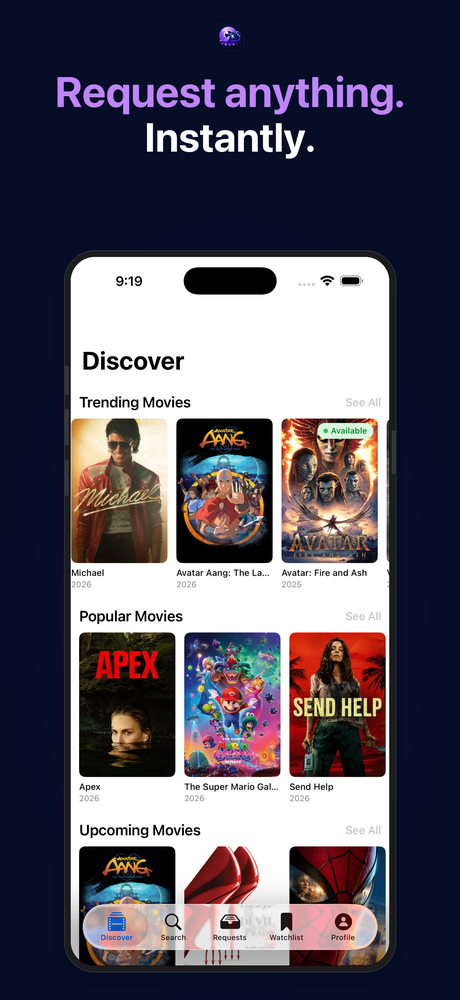
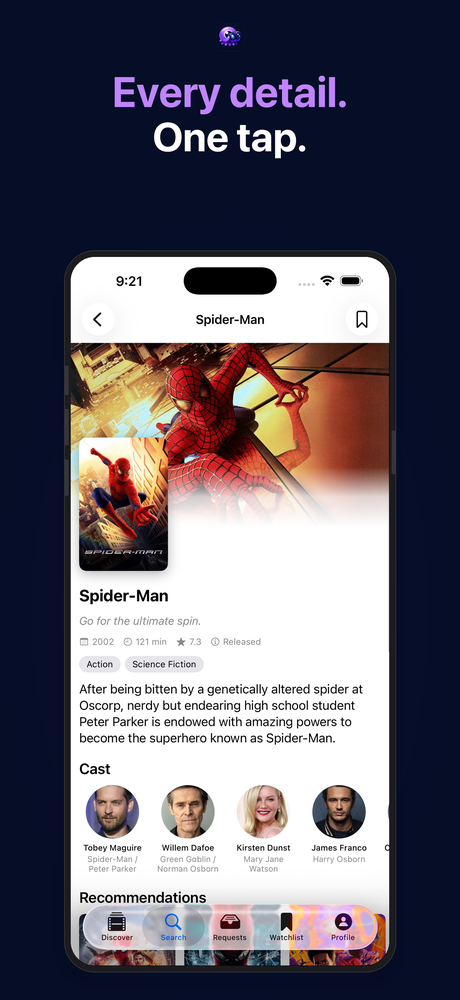
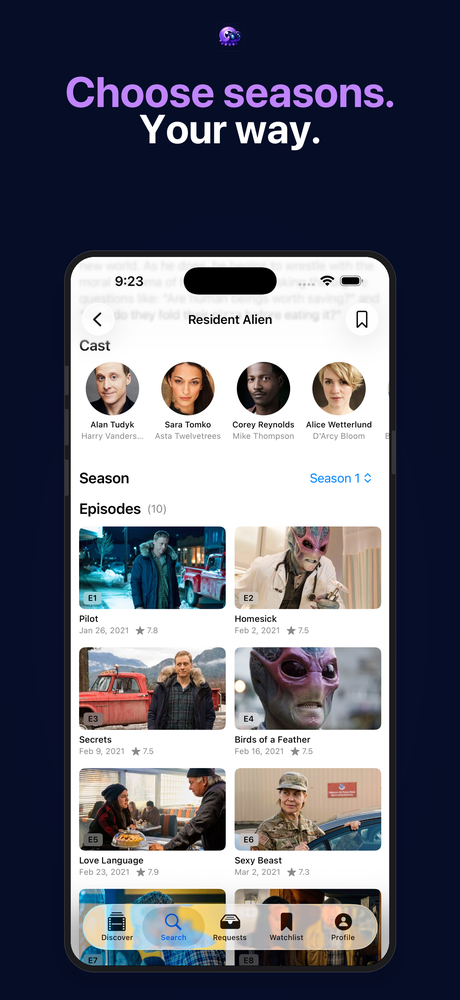
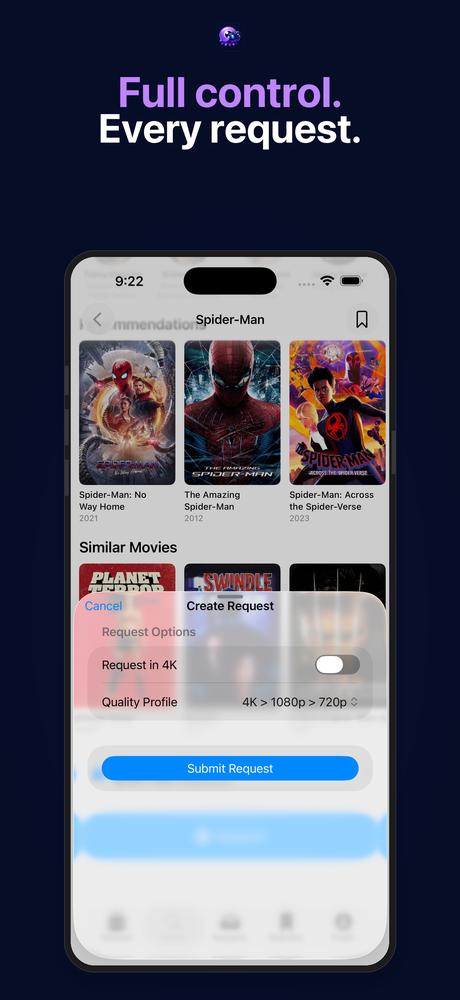
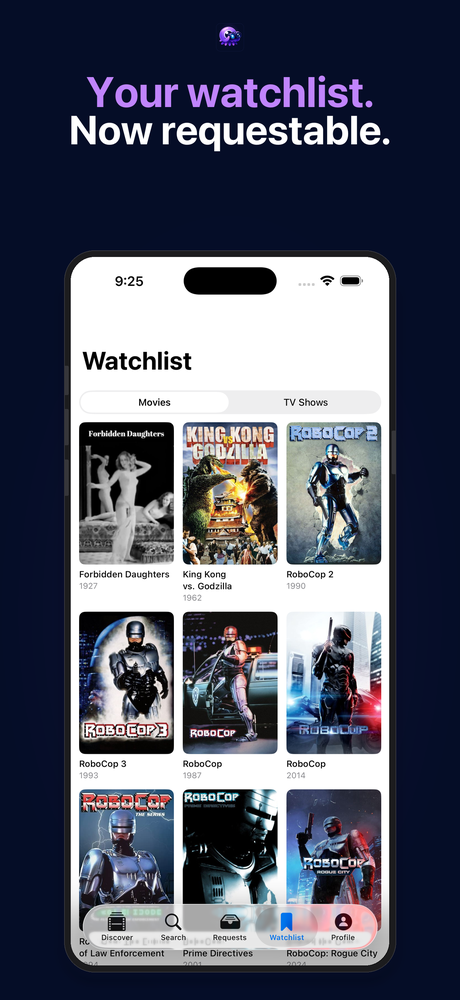
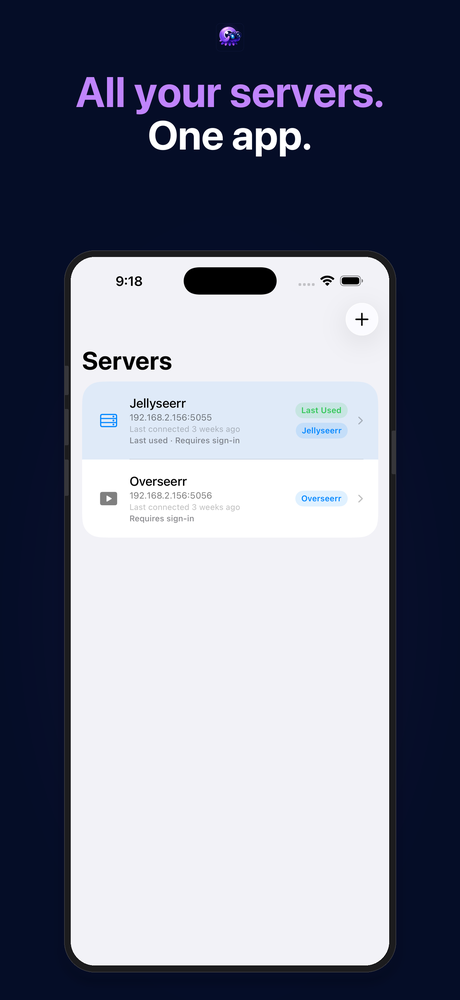
Poster artwork courtesy of The Movie Database (TMDB). All rights belong to their respective owners.
Get started
Section titled “Get started”Ready to set up Octopus Explorer on iOS?
- Install the app — free, pending App Store approval
- Connect your server — IP, hostname, or domain
- Sign in with your local, Plex, or Jellyfin credentials
If you already have the app installed, jump to Discover or Requests to learn what each screen does.